Best Free AI Cover Letter Generator: 7 Tools That Are Actually Free in 2026 (No Paywall Traps)

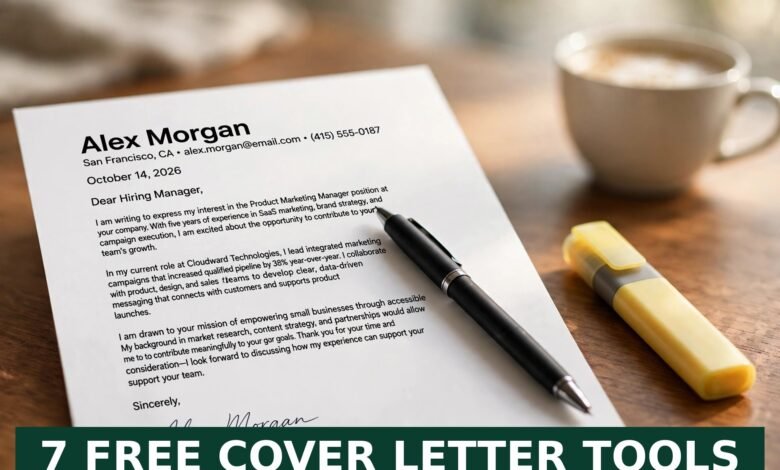
You found the perfect job. Then you saw the application form: “Upload a cover letter.” Cue the blank stare.
I’ve been there. Writing a fresh cover letter for every application eats up hours, and after the tenth one they all start sounding the same. That’s exactly why free AI cover letter generators took off — and why half the “free” tools you’ll find online turn out to be anything but.
Here’s my honest take after reviewing the free tiers of the tools everyone keeps recommending: several genuinely cost nothing, a few quietly charge you at the download screen, and the difference between a letter that gets read and one that gets ignored has almost nothing to do with which tool you pick.
Quick answer: The best free AI cover letter generator in 2026 is the one that doesn’t ambush you at the download button. ChatGPT and Google Gemini (free tiers) give you the most control with zero paywall, Jotform’s AI cover letter generator works without any signup, and Kickresume, MyCVCreator, and Teal all have real free plans. The trick is feeding any of them a copy-pasted job description plus three bullet points about your actual wins — then editing the draft like a human before you send it.
What Is a Free AI Cover Letter Generator?
It’s a tool that reads a job description and writes you a cover letter draft in under a minute. Under the hood it uses large language models — the same tech behind ChatGPT — to pull out what the employer is asking for (skills, tools, experience) and mirror it back in a professional tone.
What it can’t do is invent a career for you. Every tool below works best when you give it raw material: the posting itself and a few honest bullet points about what you’ve actually done. Garbage in, polished garbage out.
7 Free AI Cover Letter Generators That Are Actually Free in 2026
I checked what each tool’s free tier really gives you — including whether you can download or copy your letter without hitting a paywall. That’s the part most roundups skip.
1. ChatGPT (free tier)
Still the most flexible option, and the free plan is genuinely enough. Paste the job description, add 3–5 bullets about your relevant experience, and ask for a 250-word cover letter. There’s no export trap — you just copy the text. The free tier has usage limits during peak hours, but for a handful of applications a week it’s fine.
2. Google Gemini (free, inside Google Docs)
My pick for beginners. Open a free Google Doc, open the Gemini side panel, and use “Help me write.” Paste the posting plus short notes about your background, and tell it not to invent jobs, degrees, or achievements you don’t have. Since you’re already in Docs, downloading as PDF is free and takes two clicks.
3. Microsoft Copilot (free mode)
If you live in Word, Copilot’s free mode handles cover letters well without leaving the document. Attach your resume so it can reference it directly. Same rules apply: give it the job description and your real details, then rewrite anything that sounds generic.
4. Jotform AI Cover Letter Generator
The standout no-signup option. Fill in the role, company, your background, and pick a tone — professional, persuasive, confident — and it generates a draft you can copy or download as a PDF immediately. No account, no credit card, no “upgrade to download” surprise.
5. Kickresume
Kickresume’s free plan gives you AI-generated cover letters plus professional templates, and it can work from an uploaded resume. The free tier caps how many documents you can create, but for tailoring a few letters a week it’s solid.
6. MyCVCreator
Built around the “paste the job description” workflow — it pulls the role’s priorities from the posting and matches them to your experience. The draft is the starting point: tighten the opening, add one specific example with a number in it, and cut any sentence that could apply to any job.
7. Teal
Teal’s free plan matches your letter to the specific job description and keeps your applications organized in one place. If you’re applying to dozens of roles, that tracking alone is worth it. The deeper AI features cost money, but the core cover-letter drafting is usable for free.
Can AI Write a Cover Letter From a Job Description?
Yes — and this is the right way to use these tools. Here’s the workflow I recommend:
- Paste the job description into the tool.
- Add 3–5 bullet points about your real experience: metrics, tools, industries, scope. Numbers matter — “cut onboarding time by 25%” beats “improved processes” every time.
- Ask for 250–350 words in 3–4 short paragraphs. That’s the sweet spot for 2026 — long enough to show fit, short enough to get read.
- Edit hard. Read it out loud. Delete anything generic. Make sure every claim matches your resume. Never, ever let it invent experience.
The people getting interviews aren’t the ones with the fanciest tool. They’re the ones whose letters name the company, name the role, and connect one specific requirement to one specific thing they did.
Do Recruiters Reject AI-Written Cover Letters?
Let me be straight with you: most recruiters don’t care which tool you used. They care whether the letter feels specific or sounds like it was mass-produced. A generic AI letter with zero company mentions gets binned — but so does a generic human letter.
What does get you rejected: claiming skills you don’t have (interviewers will test you), obvious template language, and letters that ignore the actual job posting. An AI draft that you’ve personalized with real examples is indistinguishable from a well-written human letter — because at that point, it basically is one.
3 Mistakes That Ruin AI Cover Letters
1. Sending the first draft. First drafts are 70% done. The last 30% — your voice, your specifics, your proof — is the entire difference.
2. Picking the “free” tool with the paywall at checkout. Some popular builders let you write the letter free, then demand a subscription to download it as PDF. (This is exactly why I checked download limits above — test the download before you invest time in a tool.)
3. Forgetting the resume match. Your cover letter and resume should tell the same story. If the letter claims three years of Python and your resume doesn’t mention it, you’ll get questions. Want to strengthen the resume side too? My 200+ resume action verbs list will help you kill “responsible for” once and for all.
For more on the human side of the process, check out sample answers for the strengths and weaknesses question — because the cover letter only gets you the interview, not the job.
FAQ: Free AI Cover Letter Generators
Is there a truly free AI cover letter generator?
Yes. ChatGPT’s free tier, Google Gemini’s free tier, Microsoft Copilot’s free mode, and Jotform’s AI cover letter generator (no signup) all let you generate and use a cover letter without paying. Kickresume, MyCVCreator, and Teal have real free plans with limits.
Which free AI cover letter generator doesn’t need a signup?
Jotform’s AI cover letter generator requires no account — you fill in the details, generate, and copy or download. ChatGPT and Gemini need free accounts, which costs nothing but takes a minute.
Can AI write a cover letter from a job description?
Yes, and that’s the best workflow: paste the job description, add 3–5 bullet points about your genuine experience, and ask for a tailored draft of 250–350 words. Then edit it for accuracy and voice before sending.
Do recruiters reject AI-written cover letters?
Recruiters reject generic letters, not AI-assisted ones. A heavily personalized AI draft with real examples and company-specific details reads the same as a human-written letter. What gets rejected: invented experience, template language, and letters that ignore the posting.
How long should a cover letter be in 2026?
Three to four short paragraphs, roughly 250–350 words, on a single page. Hiring managers skim — put the role, the company, and your strongest relevant proof in the first half.
The Bottom Line
A free AI cover letter generator won’t get you hired. But it will kill the blank page, and that’s the part that stops most people from applying at all. Pick one of the seven tools above, feed it the job description plus your real achievements, edit the draft like you mean it, and send it. The job search is a numbers game — the faster you can produce a good tailored letter, the more real chances you give yourself.
Browse more job-hunting help in our Remote Jobs and AI Tools guides.
Get Your FREE Website: Turn Your Job Hunt Into an Online Career Asset
Here’s something most job seekers miss: the strongest applications in 2026 often link to a personal portfolio site. And if you’ve ever thought about building one — a portfolio, a blog, a freelance business site — here’s the truth: a website is necessary today for every business, and setting one up is very simple.
 🌐
🌐Free Website
🌐 FREE Website — Turn Your Ideas Into Income
Want a handsome monthly income? Publish helpful articles consistently and let Google traffic grow into real earnings — steady work, never overnight magic. We never guarantee earnings.
Disclosure: This article contains an affiliate link. If you purchase hosting through it, we may earn a commission at no extra cost to you.
And here’s the bigger idea: if you’d like to earn a handsome amount monthly, make a website and start writing helpful articles on it. Google traffic can turn into monthly income — but it takes consistent articles, not overnight magic. Real work, real patience, real results.
Buy your hosting through our link, send us your receipt through the JobyRoz contact page, and we will guide your basic business website setup for FREE.
Disclosure: This section contains an affiliate link. If you purchase through it, we may earn a commission at no extra cost to you.

Your Cover Letter’s Biggest Fan Has Four Paws
Let’s be honest — the AI can draft your cover letter in 30 seconds, but it can’t sit beside you, head tilted, believing you’re absolutely the perfect hire. That’s a dog’s job. Our golden boy here just “reviewed” his human’s draft and gave it two paws up (he also tried to eat the pen, but that’s editorial feedback).
 🐶
🐶Free Pet Guides
Need a confidence boost before you hit send?
While your applications go out, keep the rest of life on track: check what a job offer is really worth with EarnRove’s money calculators, and keep your water clean during those long writing sessions with Clearove’s clean-water guides.
🧮Money Tools
🧮 Earnrove — Free Money Calculators