
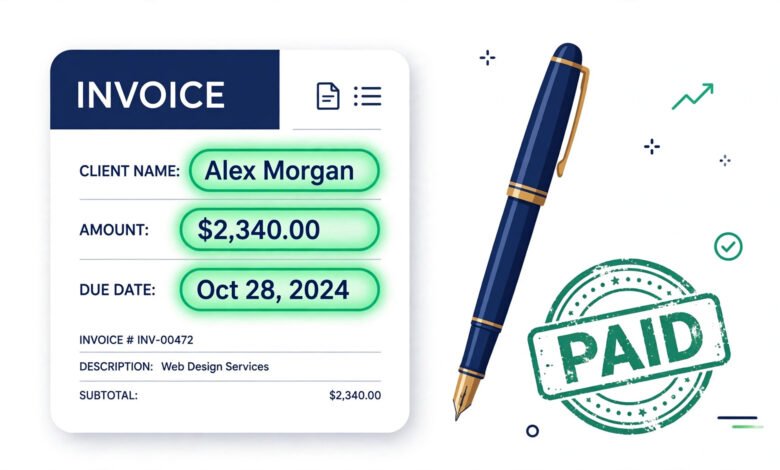
If you are learning how to invoice as a freelancer, you are asking the question that separates hobbyists from professionals. Doing great work means nothing if the money never arrives — and in freelancing, the invoice is the bridge between finished work and paid work. This guide walks you through every step: what to put on the invoice, how to number and send it, which payment terms to use, and the mistakes that delay payment.

Why Invoicing Matters More Than You Think
Many new freelancers treat invoicing as an afterthought. The work is done, the client is happy — the money will come, right? Not always. A vague, late, or unprofessional invoice is one of the most common reasons payments stall. Clients deprioritize what looks informal.
A proper invoice does three jobs at once:
- It tells the client exactly what they owe and why — no confusion, no back-and-forth.
- It sets the payment clock — the due date starts ticking from a clear issue date.
- It makes you look like a business — which makes clients treat you like one.
Freelancers who invoice promptly and professionally consistently report getting paid faster than those who send a casual “hey, you owe me $500” message weeks later.
What Every Freelance Invoice Must Include
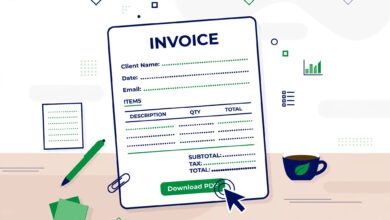
A complete freelance invoice has nine elements. Miss any of them and you invite delays or disputes.
1. The word “INVOICE”
State clearly at the top that the document is an invoice — not a quote, estimate, or receipt. This matters for the client’s accounting department, which processes documents by type.
2. Your information
Your full name (or business name), address, email, and phone number. If you have a logo, put it at the top — it costs nothing and looks professional.
3. The client’s information
Client name, company name, and billing address or email. Always invoice the right entity: if you worked with a marketing manager but the company pays, the invoice goes to the company.
4. A unique invoice number
Every invoice needs its own number: INV-2026-001, or client initials plus a sequence like ACME-014. Unique numbers let both sides track payments, and they are required for your own tax records.
5. Invoice date and due date
The issue date starts the payment clock. The due date should reflect your agreed terms — Net 15 (15 days) or Net 30 (30 days) are standard. Shorter terms (Net 7 or Due on Receipt) are fine for small projects if agreed upfront.
6. A detailed description of the work
This is where most freelancers underperform. “Services: $1,500” invites questions. Break it down:
- Hourly: “Blog writing — 12 hours @ $60/hr = $720”
- Per project: “Homepage redesign — fixed fee = $1,200”
- Per unit: “4 articles @ $150 each = $600”
Specific line items get approved faster because the client can see exactly what they are paying for.
7. Subtotal, taxes, and total
Show the math: subtotal, any applicable tax, and a bold total amount due. If you work internationally, state the currency clearly (USD, EUR, GBP) to avoid confusion.
8. Payment methods
Tell the client exactly how to pay: bank transfer details, PayPal address, Wise, or a payment link. Every extra step the client has to figure out is a reason to “do it tomorrow.”
9. Payment terms and late policy
State your terms plainly: “Payment due within 15 days (Net 15). A late fee of 1.5% per month applies to overdue balances.” You may never need to enforce it — but having it in writing changes behavior.
When Should You Send the Invoice?
Timing depends on your agreement with the client:
- After completing the work — standard for one-off or small projects. Send it the same day you deliver, not a week later.
- On a schedule — for ongoing hourly work, invoice weekly, biweekly, or monthly. Regularity trains clients to expect and process your invoices.
- Milestones — for large projects, invoice at agreed stages (e.g., 50% upfront, 50% on delivery). Never do a large project with 100% payment at the end unless you fully trust the client.
- Upfront deposits — many experienced freelancers require 25–50% before starting. It filters out unserious clients immediately.
The golden rule: invoice fast. Every day you delay sending the invoice is a day added to when you get paid.
How to Actually Send It
You have three options, from simplest to most professional:
- PDF by email — create the invoice, export as PDF, attach it to a short professional email. PDFs cannot be casually edited and look serious. This works perfectly well for most freelancers.
- Invoicing software — tools that generate, send, and track invoices, and remind you about overdue ones. Worth it once you have several concurrent clients.
- A free invoice generator — the middle path: professional PDF invoices without paying for software or learning a new platform.
Whatever you choose, always keep a copy of every invoice you send. You will need them at tax time, and they are your proof if a payment dispute ever arises.
5 Invoicing Mistakes That Delay Payment
- No due date. Without one, “soon” means never. Always state a specific date.
- Vague descriptions. “Work done: $800” gets questioned. Itemize everything.
- Invoicing late. Finish on Friday, invoice on Friday — not “sometime next month.”
- No payment instructions. If the client has to email you asking how to pay, you have added a week.
- No late fee policy. Clients prioritize the invoices that cost them money to ignore.
Getting Paid Faster: The System
Polite persistence beats awkward silence. A simple system that works:
- Day 0: Send the invoice with a thank-you note the day work is delivered.
- 3 days before due: A friendly heads-up (“just making sure this is in your queue”).
- Due date: A short reminder with the invoice re-attached.
- 7 days overdue: A firmer note referencing your payment terms.
- 14+ days overdue: A formal reminder mentioning the late fee, then a phone call.
Most late payments are not malice — they are disorganization. A calm, scheduled follow-up routine collects the vast majority of overdue invoices without damaging the relationship.
FAQ: Invoicing as a Freelancer
How do I invoice as a freelancer for the first time?
Include the word INVOICE, your info, client info, a unique invoice number, dates, an itemized description of work, totals, payment methods, and payment terms. Export as PDF and email it the day you finish the work.
What payment terms should freelancers use?
Net 15 (payment within 15 days) is a good default. Net 30 is common with larger companies. For small projects, Due on Receipt or Net 7 is reasonable if agreed upfront.
Should I charge a late fee?
Yes — state it on every invoice (e.g., 1.5% per month on overdue balances). Most clients will never trigger it, but its presence speeds up payment noticeably.
Do I need to include tax on freelance invoices?
It depends on your country and registration status. In the US, most freelance services are not subject to sales tax, but rules vary by state. State the currency clearly, and consult a tax professional for your situation.
What if a client refuses to pay?
Follow your reminder sequence, then call. Document everything in writing. For larger amounts, a formal demand letter or small-claims court are options — which is exactly why keeping copies of every invoice and agreement matters.
Can I invoice without a registered business?
In most places, yes — as a sole proprietor you invoice under your own name. Check your local rules, since some jurisdictions require registration above certain income levels.
Turn Hours Into Invoices in Seconds
You now know exactly how to invoice as a freelancer — but building every invoice by hand, tracking hours in a spreadsheet, and remembering who owes what gets old fast. There is a simpler way:
🚀 Free Invoice Maker for Freelancers
- ✅ Free invoice maker — professional PDF invoices, 5 per month free
- ✅ One-click time tracker — hours flow straight into your invoice
- ✅ 100% offline — your client data never leaves your device
Install Freelance Billable — Free
Free Chrome extension · No account needed · Your data stays on your device
Related Guides
- Free Freelance Invoice Template: What to Include in 2026
- How to Ask a Client for Late Payment: Email Scripts That Work (2026)
- How to Track Billable Hours: 7 Methods That Actually Work (2026)
 🌐
🌐Free Website
🌐 FREE Website — Turn Your Ideas Into Income
Disclosure: This article contains an affiliate link. If you purchase hosting through it, we may earn a commission at no extra cost to you.
 🐶
🐶Free Pet Guides
🐶 Love Dogs Too?
🧮Money Tools
Earnrove - Money Tools That Just Work


One Comment