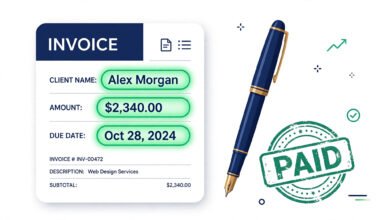
Learning how to track billable hours is the closest thing freelancing has to a superpower. Every untracked hour is money you earned but will never invoice. Studies of freelancer workflows consistently show the same pattern: the freelancers who track time in real time bill more accurately, argue less with clients, and raise their rates with confidence — because they finally know what their time is worth.
This guide covers seven proven tracking methods, the rules for what counts as billable, and how to turn tracked time into invoices without the admin headache.
What Are Billable Hours, Exactly?
Billable hours are the hours you can legitimately charge a client for. The definition sounds simple, but the boundary causes endless confusion. Here is the practical split:
Billable (charge the client):
- Direct project work and deliverables
- Client meetings, calls, and emails about their project
- Revisions the client requested
- Research done specifically for their project
- Travel the client approved
Non-billable (your cost of doing business):
- Marketing yourself and finding clients
- Writing proposals and pitches
- Your own admin, bookkeeping, and invoicing
- Learning and professional development
- Internal meetings with yourself
The rule of thumb: if you would not do it without this client, it is probably billable. When in doubt, define it in the contract before work starts — that one conversation prevents nearly every billing dispute.
Why Tracking Matters More Than You Think
Three things depend directly on accurate time tracking:
- Revenue accuracy. A freelancer billing 25 hours a week who forgets just 2 hours weekly at $60/hr loses over $6,000 a year. Small leaks sink incomes.
- Rate confidence. When you know your real numbers — hours worked, hours billed, effective rate — you can raise prices based on data instead of gut feeling.
- Client trust. A detailed, timestamped log ends billing disputes before they start. “Here are the 14.5 hours, dated and described” beats “trust me” every time.
The 7 Methods, Ranked by What Actually Works
1. One-click timer app (best for most freelancers)
Start a timer when client work begins, stop when you switch tasks. Tag each entry with client and project. High accuracy, medium effort — the sweet spot for solo freelancers. This is the method behind most professional invoicing workflows.
2. Automatic time capture
Software that logs which apps and documents you use in the background, then you review and assign the blocks to clients. Excellent for people who forget to start timers. Review daily — unreviewed auto-logs become a mess.
3. Spreadsheet log
Columns for date, client, task, start, end, duration, rate. Free and flexible, and fine for one or two clients. Breaks down fast beyond that — and manual entry invites rounding “in your favor,” which clients can sense.
4. Project tool time fields
If you already live in a project management tool, log hours on tasks there. Works when the whole workflow is in one place; weak when the timer is buried three clicks deep and nobody uses it.
5. Calendar reconstruction
Rebuild the day from your calendar blocks and messages. Useful as a backup when you forgot to track — not as a primary method. Memory lies; a 15% error rate on a 30-hour week mis-bills 4.5 hours.
6. Paper timesheet
Zero tech, works anywhere. But slow to invoice from, easy to lose, and clients in 2026 expect better. Only for field work with no device.
7. End-of-week guessing (don’t)
Reconstructing Friday what you did Monday is fiction, not tracking. Mentioned only so you can stop doing it.
The Rules That Make Tracking Stick
Method matters less than habits. These five rules separate freelancers who track from freelancers who intend to track:
- Track in real time, not from memory. Start the timer when work starts. Same-day logging is the minimum viable version.
- Tag billable vs. non-billable at entry. Sorting it out at invoicing time means forgotten context and lost revenue.
- Write client-readable notes. “Reviewed homepage copy, fixed 3 sections” — not “stuff.” Your notes may end up on the invoice.
- Review weekly. Thirty minutes every Friday: fix missing entries, split mixed blocks, catch under-billing before the invoice goes out.
- Separate clients strictly. Never mix two clients’ time in one entry. Disputes love ambiguity.
How Many Billable Hours Are Realistic?
New freelancers often assume a 40-hour week means 40 billable hours. Reality: most experienced freelancers sustain 25 to 30 billable hours per week. The rest goes to marketing, admin, invoicing, and learning — the non-billable work that keeps the business alive.
This matters enormously for pricing. If you need $6,000/month and can bill 100 hours, your rate must be $60/hr — not the $37.50/hr that “40 hours × 4 weeks” math suggests. Underestimating non-billable time is the number one reason freelancers undercharge.
Turning Tracked Hours Into Invoices
Tracking is only half the job — the hours have to become an invoice without an hour of admin. The smooth workflow:
- Track time daily with client/project tags.
- Friday: review and approve the week’s entries.
- Generate the invoice directly from approved time — line items pre-filled with dates, descriptions, hours, and rates.
- Send as PDF the same day.
When tracking and invoicing live in the same tool, steps 2–4 take minutes. When they live in separate spreadsheets and docs, it takes an evening — and evenings are when entries get “rounded.”
FAQ: Tracking Billable Hours
What is the best way to track billable hours as a freelancer?
Track in real time with a timer, tagging each entry by client and project, and review weekly. Real-time capture beats end-of-week reconstruction on accuracy every time.
How many billable hours per week should I aim for?
25 to 30 is realistic and sustainable for most freelancers. The remaining time goes to non-billable business work. Planning for 40 billable hours leads to burnout or under-billing.
Should I track non-billable hours too?
Yes. It shows where your time really goes, helps you price correctly (your rate must cover non-billable time), and reveals what to delegate or automate.
What counts as a billable hour?
Any work you would not do without that client: project work, client meetings, requested revisions, client-specific research. Define it in the contract upfront to avoid disputes.
How do I handle a client who disputes my hours?
Share the detailed log — dates, durations, task descriptions. Timestamped records resolve most disputes instantly. Prevent them entirely with clear scope agreements and weekly progress notes.
Should I round my hours?
Use a consistent policy and state it: many freelancers round to the nearest 15 minutes. Whatever you choose, apply it uniformly and disclose it — inconsistent rounding destroys trust.
Stop Losing Hours You Already Worked
You now know how to track billable hours like a professional. The only thing left is a tool that makes it effortless — one click to start, and hours that flow straight into the invoice:
⏱️ Track Time, Bill Every Hour — Free
- ✅ One-click time tracker — start, stop, tag by client and project
- ✅ Hours become invoices — approved time turns into PDF invoices instantly
- ✅ 100% offline — your client data never leaves your device
Install Freelance Billable — Free
Free Chrome extension · No account needed · Your data stays on your device
 🌐
🌐Free Website
🌐 FREE Website — Turn Your Ideas Into Income
Want a handsome monthly income? Publish helpful articles consistently and let Google traffic grow into real earnings — steady work, never overnight magic. We never guarantee earnings.
Disclosure: This article contains an affiliate link. If you purchase hosting through it, we may earn a commission at no extra cost to you.
 🐶
🐶Free Pet Guides
🐶 Love Dogs Too?
🧮Money Tools
🧮 Earnrove — Free Money Calculators