Here’s a confession I hear from almost every remote worker: they work longer hours than they ever did in an office, and somehow get less done. The laptop opens at 8 and closes at 9, and the day still feels unfinished. If that sounds familiar, the problem probably isn’t your discipline. It’s your system.
Remote work rewards people who design their day on purpose. Without a commute or colleagues packing up around you, the edges of the workday dissolve. This guide gives you a practical setup that holds: a simple daily structure, a workspace that doesn’t cost a fortune, and honest answers to the questions every remote worker asks. No 5 a.m. club, no expensive gadget list, no pretending you can focus for eight straight hours.
Quick answer: what actually works for remote work?
The remote workers who stay productive and sane tend to do five things: plan the day in three blocks instead of one long slog, protect two deep-work sessions, default to written updates instead of live meetings, make progress visible in writing, and stop at a fixed time. Pick three of them this week, run them for a fortnight, and judge by your output — not by how busy you felt.
1. The 3-Block Day: stop treating your day as one long shift
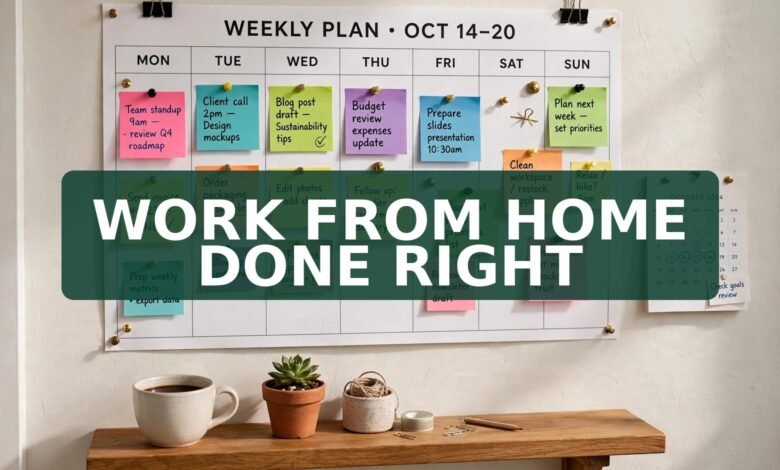
The single biggest upgrade you can make is splitting your day into three blocks. Block one is the anchor: 60 to 90 minutes on your hardest task, before you open chat or email. Block two is the collaboration window: meetings, replies, and shared work, when your team overlaps. Block three is the wrap-up: lighter tasks, planning tomorrow, and a short written update on what you finished.
Why does this beat a to-do list? A list tells you what to do, but never when. Blocks protect your best energy for the work that matters most, and they give interruptions a proper home. When a message arrives during your anchor block, you already know the answer: it waits until the collaboration window. I started doing this after my mornings kept disappearing into replies, and my real work slid to the evening. Within a week, the evening slide stopped.
A realistic version: 9:00–10:30 anchor work, 10:30–12:30 collaboration and meetings, lunch and a real break, 1:30–3:00 second deep block, 3:00–4:30 wrap-up. Shift the frame to fit your life — parents, night owls, and part-timers included. The shape matters more than the hours.
2. Your workspace: the smallest setup that works
You don’t need a designer home office. You need three things: a chair that doesn’t hurt after two hours, light that doesn’t glare on your screen, and a signal that tells the household you’re working. A kitchen table works fine for months if the chair is decent and light comes from the side, not behind the screen.
Two upgrades punch above their price. First, an external keyboard and a laptop stand, which lift the screen to eye level and save your neck. Second, headphones, even cheap ones, which double as a “do not disturb” sign for everyone around you. Skip the standing desk until you know you’ll actually use one — plenty of people buy one, stand for a week, and never touch it again. Spend the money on the chair first.
If you share your space, agree on the rules out loud: which hours are quiet, what the closed door (or headphones on) means, and when you’ll be free again. Most household friction about remote work isn’t about noise — it’s about unclear expectations.
3. How do I stay focused when home keeps interrupting me?
There are only three kinds of interruption: people, phones, and your own wandering mind. Each needs a different fix, and “try harder” fixes none of them.
For people, use a visible signal and a fixed availability window: “I’m heads-down until 11, then I’m free for 20 minutes.” A vague “I’m busy” gets ignored; a specific time gets respected. For phones, the honest fix is physical distance — put it in another room during anchor blocks. A phone in a drawer beats any app blocker. For your own wandering mind, keep a small “later” pad beside you. When a stray thought pops up — a bill, a birthday, a random errand — write it down and return to work. The thought leaves your head because it’s captured, not because you fought it.
4. Async first: kill the green-dot theatre
A lot of remote teams quietly measure presence instead of output: green dots, instant replies, cameras on. It’s a trap. Answering fast feels productive, but it fragments your day into 10-minute shards where nothing deep ever gets done. The fix is agreeing, as a team, that written updates are the default and meetings are the exception.
Practically, that means: post a short written update at the end of your day (what you finished, what’s next, where you’re stuck), keep decisions in shared documents instead of chat threads, and batch replies into two or three windows a day. If a message is truly urgent, people will call.
5. How do I stay visible to my manager without being online all day?
This is the fear behind most remote overwork: if nobody sees me working, will they think I’m not? The answer is to make your work visible, not your presence. A short weekly note beats twelve hours of green dots. Each Friday, send your manager three lines: what you shipped, what’s next, and one thing you need from them.
Other visibility habits that cost almost nothing: comment on shared documents instead of keeping thoughts in private chats, demo finished work briefly, and keep a simple wins log. That log feeds your weekly update and becomes your evidence at review time. If you’re hunting for your next role, our guide to work from home part-time jobs in 2026 shows how to judge whether a listing’s flexibility is real before you apply.
6. How many hours should I actually work from home?
Here’s an honest answer: most high-output remote workers produce their best work in about 30 to 35 focused hours a week. The rest of the “always on” day is usually low-value activity — re-reading messages, half-watching meetings, re-warming the same task. Sitting at a desk for ten hours is not working for ten hours, and the output shows it.
Set a hard stop time and treat it like a meeting with yourself. When it arrives, close the laptop and leave the workspace — physically, if you can. The shutdown ritual matters: write tomorrow’s top three tasks, close every tab, and call the day done. Without a finish line, work leaks into every evening, and rest stops being restful.
If your workload genuinely doesn’t fit the hours, that’s a workload conversation with your manager, not a sign you should quietly work nights. Bring your weekly update as evidence: here’s what I shipped, here’s what didn’t fit, what should we drop or delay? That’s a far stronger conversation than silent burnout.
7. The burnout guardrails: breaks, movement, and a real lunch
Remote burnout rarely arrives as one dramatic collapse. It creeps in as skipped lunches, back-to-back video calls, and evenings that never end. Three guardrails keep it at bay, and none require willpower once they’re scheduled.
First, take a real lunch away from the screen — not a sandwich eaten over the keyboard. Second, move at least once during the workday: a 20-minute walk, anything that gets you out of the chair and into daylight. Third, cap video calls: turn a third of meetings into written updates or cameras-off calls, and leave 10 minutes between calls. Your brain needs the gaps.
Watch for the early warning signs in yourself: dreading the laptop in the morning, snapping at small messages, re-reading the same paragraph three times. Those are signals to take a proper break and, if they persist for weeks, to talk to your manager about load.
8. Your first week on the 3-Block Day: a realistic plan
Don’t overhaul everything on Monday. Day one: pick your anchor task the night before and protect one 90-minute block. Day two: add the shutdown ritual and a fixed stop time. Day three: write your first end-of-day update, even if nobody asked for it. Day four: move your phone to another room during anchor blocks. Day five: review the week — which block worked, and what one change would fix it?
By week two, add the collaboration window and the Friday three-line update. Small, steady changes stick. Grand overhauls announced on Monday morning usually die by Wednesday.
And if you’re still building your remote career, pair this routine with our practical guides: how to pass ATS screening in 2026, the free ATS resume builders that actually work, and cover letter examples you can adapt.
Frequently asked questions
How do I stay productive working from home with kids around?
Split the day into shorter blocks and be honest about which hours are truly yours. Use the quietest hours for anchor work, save admin for the noisy hours, and agree on a visible signal — headphones on means “wait unless it’s urgent.” A plan that survives a chaotic household beats a perfect plan that collapses by 10 a.m.
What’s the best schedule for remote work productivity?
The one you’ll actually keep. Most people do their hardest work in the morning, but night owls and parents often peak later. Try the 3-Block Day for two weeks and shift the frame to match your best hours.
How often should I take breaks when working from home?
Take a short break every 60 to 90 minutes, a real lunch away from the screen, and at least one walk outside. The classic 25-on, 5-off pattern suits some people, but longer deep blocks suit focused work better. Breaks must be real — scrolling social media at your desk is not a break.
How do I avoid Zoom fatigue?
Convert a third of your meetings to written updates, keep cameras off for status calls, and leave gaps between calls. If a meeting has no decision to make, it probably shouldn’t be a meeting at all.
What equipment do I need for a productive home office?
A comfortable chair, decent light, a laptop stand, an external keyboard, and headphones. That’s the whole starter kit. Add a second monitor only when constant window-switching forces the issue.
Conclusion
Remote work isn’t about working more hours from home. It’s about designing a day that protects your focus, makes your progress visible, and ends on time. Start with the 3-Block Day, add one guardrail at a time, and give the system two honest weeks. The goal was never to be online all day. It’s to do good work, be seen doing it, and still have an evening left to enjoy.
FREE Website: Turn Your Remote Work Into Your Own Platform
If remote work has taught you anything, it’s this: your skills deserve a home that isn’t rented from an employer or a job board. A website is necessary today for every business — and for every freelancer, remote worker, and side-project builder too. And it’s very simple to set up: just buy hosting through our link and tell the built-in AI about your business, and the AI will make the website for you. No coding, no designer, no weeks of waiting.
 🌐
🌐Free Website
🌐 FREE Website — Turn Your Ideas Into Income
Want a handsome monthly income? Publish helpful articles consistently and let Google traffic grow into real earnings — steady work, never overnight magic. We never guarantee earnings.
Disclosure: This article contains an affiliate link. If you purchase hosting through it, we may earn a commission at no extra cost to you.
If you want to earn a handsome amount monthly, make a website and start writing helpful articles on it. Google traffic can turn into monthly income — but be honest with yourself about the timeline. It takes consistent articles over months, not overnight magic, and the people who win are the ones who keep publishing useful content long after the excitement fades. Your remote-work experience is exactly the kind of real knowledge readers search for.
Buy hosting through our link, send us your receipt through the JobyRoz contact page, and we will guide your basic business website setup for FREE. Disclosure: this section contains an affiliate link. If you buy through it, we may earn a small commission at no extra cost to you, which helps keep JobyRoz free for readers.

The Break-Time Boss Who Never Lets You Skip Lunch
Your dog doesn’t care about your inbox. At lunchtime sharp, the leash appears, the tail starts wagging, and your break is officially non-negotiable. Maybe that’s the productivity coach remote workers actually need — one who insists you step away from the screen, get some daylight, and come back sharper.
So, who runs your lunch break — you, or the boss with four paws and a leash?
 🐶
🐶Free Pet Guides
More tools for your work-from-home life: run your numbers with the handy calculators at Earnrove, and keep your home routine fresh with the clean-water guides at Clearove.
🧮Money Tools
🧮 Earnrove — Free Money Calculators