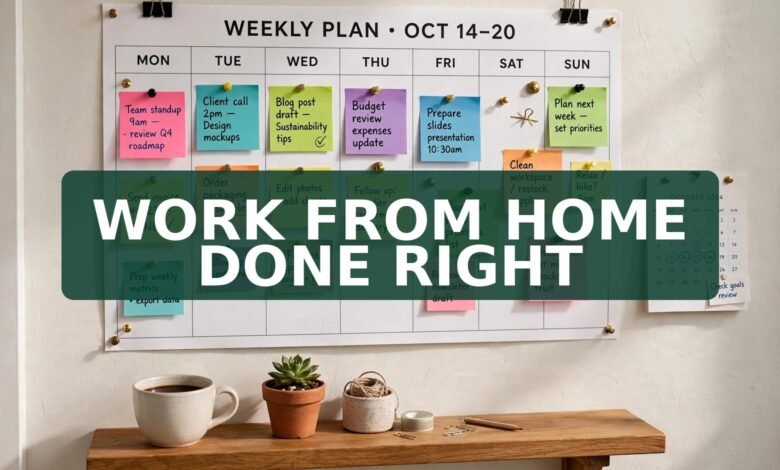
It is 8:40 on a Tuesday morning and you are already behind. The laptop is open on the kitchen table, yesterday’s mug is still beside it, and Slack has been blinking since 7:55. You meant to start with the big report. Instead you have answered eleven messages and somehow ended up reading about someone else’s kitchen renovation. You are not lazy. You just never got a system. Most remote work tips fail because they hand you fifty disconnected habits and no order to use them in. This guide does the opposite: one working system, built for UK homes, small spaces and real managers, that you can run from tomorrow morning.
Quick answer: Run the 3-block day. Do your hardest thinking work first, keep meetings and messages in a middle block, and save admin for the end. Make your progress visible with one short written update a day instead of staying glued to a green dot. Set a hard finish time, close the laptop properly, and take a real lunch break away from your desk. Everything else here — the setup, the boundaries, the meeting audit — exists to protect those four moves.
1. The 3-block day: plan your day in blocks, not tasks
Most remote workers plan their day as a list, and then the first interruption eats the list and the day feels ruined. Blocks survive interruptions because they describe the kind of work, not the exact job. Block one, roughly 9 to 12, is deep work: the report, the design, the analysis, the thing that moves your week forward. Block two, after lunch, is people work: calls, meetings, messages. Block three, the last 45 minutes, is admin: filing, expenses, tomorrow’s list.
Guard block one like a meeting with your boss. Phone in another room, notifications off, one tab open. If a colleague messages during block one, it waits until block two — and almost always, it turns out it could wait. By day three of this, you will have done more real work before lunch than you used to manage in a whole week.
2. Make your work visible: the written update beats the green dot
Remote work has a quiet fear underneath it: if nobody sees you working, will they assume you are not? That fear is why so many people sit online for ten hours, answer instantly, and burn out by Thursday. The fix is not more presence. It is better evidence. At the end of each day, send your manager three lines: what you finished today, what you are doing tomorrow, and anything blocking you. That is it. No essay, no performance.
A short daily note does three things a green dot never will: it proves progress in writing for review season, it surfaces blockers while they are still small, and it lets you log off without guilt. If your manager never asked for updates, send one anyway for two weeks. Most managers quietly love them; the rest will simply ignore them.
3. The small-space setup: you do not need a spare room
Half the remote work advice on the internet assumes a home office with a door that closes. Plenty of UK homes do not have one. A corner of a bedroom, a kitchen table, even a landing can work if it stays the same place every day. Your brain learns the spot the way it used to learn the office: sit down there and it knows it is work time. Pack it away each evening if you must, but start in the same spot each morning.
Three things matter more than anything expensive: light, height and a chair that does not punish you. Face a window if you can, or get a daylight bulb for dark winter mornings. Raise the laptop so the top of the screen sits near eye level — a stack of books works fine. If your back aches by 3 pm, the chair is the problem. A second monitor is nice; a pain-free back is non-negotiable.
4. Boundaries that survive housemates, kids and the dog
Working from home means your home keeps interrupting your work and your work keeps interrupting your home. Both directions need a boundary. The simplest one that holds: fixed hours, stated out loud. Put your working hours in your email signature and tell the people you live with what they are. A closed door, headphones on, or a handwritten sign on the kitchen table all work as signals — but only if the people around you know what the signal means. Agree it once, properly, instead of getting annoyed for the tenth time.
Then protect the other direction too. When the working day ends, end it. Close the laptop lid, put it away, change out of the top you wore for video calls. Without a commute, your brain never gets the signal that work is over, so build one: a short walk, a shower, cooking dinner straight away, at the same time every day. Within a week, that ritual feels like walking out of the office door.
5. The meeting audit: reclaim four hours a week
Count your meetings last week. Now count how many changed a decision, unblocked someone, or needed you live in the room. For most remote workers, the second number is about half the first. Run a meeting audit every Friday for a month: could each recurring meeting have been an email, a shared document, or a voice note? If yes twice in a row, suggest the change or quietly stop attending and send your update in writing instead. For the meetings that stay, keep a one-line agenda: what decision do we need by the end?
6. Energy, broadband and the bills nobody warned you about
Working from home moves costs from your employer to you: heating, electricity, broadband, coffee, the lot. Heat the room you work in, not the whole house, and shut the door if there is one. Keep the router in the open and near your workspace rather than buried behind the television — weak Wi-Fi causes more lost mornings than any software bug.
Keep a simple note of what working from home costs you. If your employer offers help with equipment or bills, ask — many do, and many employees never ask. If you are self-employed, those receipts matter at tax time, so file them as you go. And take the 20-minute rest break UK working time rules give most workers when the day runs over six hours. Eat lunch somewhere that is not your desk.
7. Loneliness is a work problem, not a personal failing
Nobody warns you about the quiet. No corridor chats, no one asking about your weekend, no shared groan when the printer breaks. After a few months, that quiet starts to feel like isolation, and isolation quietly wrecks motivation. Treat it as a work problem with work solutions. Book one real conversation a day that is not about a task — a coffee chat, a walk-and-talk call, a ten-minute check-in with a colleague you actually like. Put it in the calendar like a meeting, because otherwise the day fills up and it never happens.
8. When your manager does not trust remote work
Some managers still measure commitment in chairs filled and hours visible. If yours is one of them, arguing about trust rarely works. Evidence does. Run the system in this guide for a fortnight, keep your daily updates, and then show the record: what shipped, what moved, what got unblocked. Suggest a trial — one month of the new pattern, judged on output — rather than asking for permanent trust on day one.
It also helps to know where you stand. Since April 2024, UK employees have had the right to request flexible working from their first day in a job. A request is not a guarantee — an employer can refuse for a genuine business reason — but it puts the conversation on record. Go in with a plan: which days, how you will stay reachable, how your work will be measured.
9. Your 7-day remote-work setup plan
Day 1: Pick your spot and your hours. Tell the people you live with. Write your hours in your email signature.
Day 2: Run the 3-block day. Phone in another room during block one.
Day 3: Start the daily three-line update. Send it before you log off.
Day 4: Audit your meetings. Replace one recurring meeting with a written update.
Day 5: Fix one physical thing: light, screen height or chair. Move the router if calls freeze.
Day 6: Take a proper lunch break away from your desk and a walk after work.
Day 7: Review the week. Keep what helped, drop the rest, and repeat next week.
Frequently asked questions
How can I stay focused working from home with no separate office?
Use the same spot every day, even if it is a kitchen-table corner, and give it a start and finish ritual. Focus comes from consistency, not square footage: same place, same first task, phone in another room.
How many breaks should I take when working remotely?
Take a short break every hour or so, a proper lunch break away from your desk, and a walk after work. Under UK working time rules, most workers get a 20-minute rest break when the day runs over six hours.
What is the best schedule for remote work?
The schedule that matches your energy: hard thinking work in the morning, people work after lunch, admin at the end of the day. Keep the shape steady for two weeks before changing it. A routine you keep beats a perfect routine you abandon by Wednesday.
How do I prove I am working when my manager cannot see me?
Send a short daily update: finished today, doing tomorrow, anything blocking you. Written evidence of output beats hours spent online, and it protects you at review time.
Is working from home bad for your career?
Not on its own. What hurts a remote career is invisibility: no record of your work, no relationships, no one remembering your name when opportunities appear. The daily update and one real conversation a day fix exactly that.
Conclusion
Remote work rewards people with a system and quietly punishes people without one. You do not need a bigger flat, a standing desk or a new personality. You need three blocks, one visible update a day, a spot that means work, and a finish time you actually keep. Start tomorrow with block one: phone away, one tab open, hardest job first. For more ways to build a flexible working life, read our guides on work from home jobs with no experience and weekend remote jobs from home, plus free AI tools for freelancers.
FREE Website: Turn Your Remote-Work Know-How Into Your Own Corner of the Internet
 🌐
🌐Free Website
🌐 FREE Website — Turn Your Ideas Into Income
Disclosure: This article contains an affiliate link. If you purchase hosting through it, we may earn a commission at no extra cost to you.
And if you want to earn a handsome amount monthly, a website plus helpful articles is one of the most honest routes there is. Write genuinely useful posts, week after week, and Google traffic can grow into monthly income over time. It takes consistent articles, not overnight magic — nobody can promise you earnings, and you should distrust anyone who does. But the people who keep publishing are the ones who eventually get found. If you buy hosting through our link, send us your receipt through the JobyRoz contact page, and we will guide your basic business website setup for FREE. Disclosure: this section contains an affiliate link — if you buy through it, we may earn a small commission at no extra cost to you.

The Manager Who Enforces Your Lunch Break Has Four Paws
 🐶
🐶Free Pet Guides
🐶 Love Dogs Too?
More tools for your working life: remote workers watching their home-working costs can run the numbers on Earnrove’s money calculators, and if the glass of water on your desk tastes like the office kettle, Clearove’s clean-water guides show you how to fix that too.
🧮Money Tools
Earnrove - Check the Numbers First