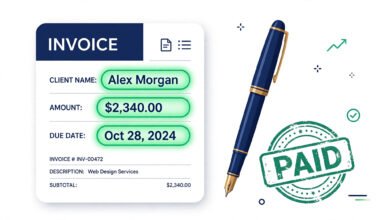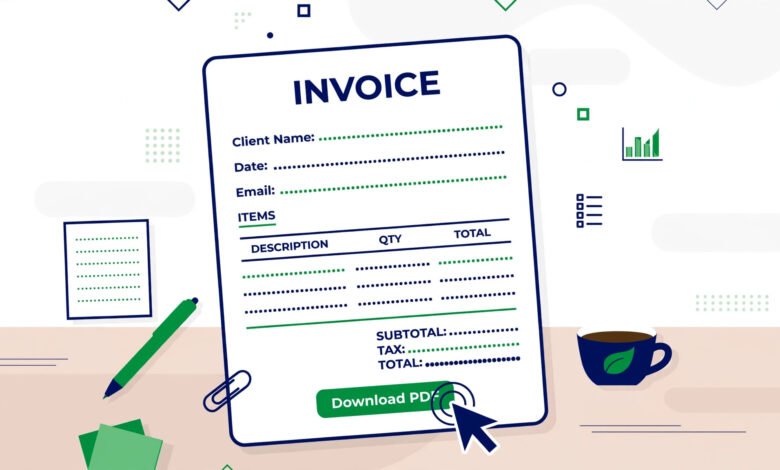
Every freelancer needs a freelance invoice template — a reusable structure that turns billing from a chore into a two-minute task. But most free templates floating around the internet are either ugly, incomplete, or missing the fields that actually get you paid faster. This guide gives you the complete anatomy of a professional freelance invoice: every field, why it matters, a copy-paste structure you can use today, and the mistakes that make clients “forget” to pay.
Why a Template Beats Starting From Scratch
Creating each invoice from a blank document is slow and error-prone. A template gives you three advantages:
- Speed — fill in client, hours, and rate; done in minutes.
- Consistency — every invoice looks the same, which looks professional and makes your records clean.
- Completeness — you never forget the due date, the invoice number, or the payment details, because the template reminds you.
Freelancers who systematize invoicing spend their time on billable work instead of admin — which is rather the point.
The Complete Invoice Structure (Copy-Paste Ready)
Here is the full structure. Copy it into a document, replace the bracketed parts, and you have a working invoice:
[Your Name / Business Name]
[Address] | [Phone] | [Email]
[Logo if you have one]
INVOICE
Invoice #: [INV-2026-001]
Invoice Date: [Month D, YYYY]
Due Date: [Month D, YYYY]
Bill To:
[Client Name / Company]
[Client Address or Email]
Description | Qty/Hours | Rate | Amount
[Project or task description] | [X hrs] | [$X/hr] | [$X.XX]
[Second line item if needed] | [X] | [$X] | [$X.XX]
Subtotal: [$X.XX]
Tax (if applicable): [$X.XX]
TOTAL DUE: [$X.XX]
Payment methods:
- Bank transfer: [Bank name, account details]
- PayPal: [your PayPal email]
- Other: [payment link]
Terms: Payment due within [14] days (Net 14).
Late fee: [1.5]% per month on overdue balances.
Notes: Thank you for your business!
Field by Field: Why Each One Matters
Your information and logo
Puts a professional face on the document. Clients file invoices by sender — make yours instantly recognizable.
The word INVOICE
Seems obvious, but clients’ accounting departments sort documents by type. A clear “INVOICE” header prevents your bill from sitting in the wrong pile.
Invoice number
Use a simple sequence: INV-2026-001, INV-2026-002. Unique numbers are essential for your tax records and for both sides when discussing “that March invoice.”
Dates: issued and due
The issue date starts the payment clock; the due date ends the ambiguity. “Net 14” means 14 days from the issue date. Always use a specific calendar date, not just “Net 14” — some clients calculate from when they received it.
Bill-to block
Invoice the correct entity. If you did the work for a person but a company pays, the company name goes here. Wrong entity = delayed payment while accounting figures it out.
Line items with quantities and rates
The heart of the invoice. Each line needs three things: what you did, how much of it, and at what rate. “Website copy — 8 hrs @ $75/hr = $600” gets approved; “Services rendered: $600” gets questioned.
Subtotal, tax, total
Show the arithmetic. State the currency (USD/EUR/GBP) explicitly if you work internationally — currency confusion is a real and avoidable delay.
Payment methods
List every way the client can pay, with the actual details — not “bank transfer available on request.” Each missing detail is an excuse to pay tomorrow.
Terms and late fee
“Payment due within 14 days. Late fee 1.5% per month on overdue balances.” You will rarely enforce it. Its presence alone moves your invoice up the client’s priority list.
Hourly vs. Fixed-Price: Adapting the Template
Hourly work: Line items are hours × rate. Include dates or date ranges per line (“Mar 3–7: homepage draft — 6 hrs @ $80/hr”) so the client sees the work unfolded over real days.
Fixed-price projects: Line items are deliverables or milestones (“Logo concepts (3) — $400”, “Final files + brand guide — $600”). For large projects, split into milestone invoices rather than one giant bill at the end.
Retainers: One line per month (“March retainer — 20 hrs included @ $70/hr = $1,400”), plus any overage lines. Retainer clients love predictability — give it to them.
5 Template Mistakes That Cost You Money
- No due date on the template. If the field is not in the template, you will forget it. Then “soon” means never.
- Vague line items. “Design work — $900” invites a reply asking what exactly. Itemize.
- Missing payment details. A beautiful invoice with no “how to pay” is a decoration, not a bill.
- No late-fee clause. Templates without it train clients that your deadlines are suggestions.
- Sending as an editable file. Always export to PDF. Editable invoices get “accidentally” altered and look amateur.
From Template to System
A template handles one invoice. A system handles your business. Once the template is working, add these habits:
- Number sequentially without gaps. Gaps make accountants nervous and your records messy.
- Save every PDF. Name files consistently: INV-2026-014_ClientName.pdf. Tax season will thank you.
- Track status. A simple list — sent, viewed, paid, overdue — prevents invoices from silently dying.
- Follow up on schedule. A reminder 3 days before due, on the due date, and at 7 days overdue collects nearly everything without awkwardness.
Better yet, use a tool where the template, the numbering, the PDF export, and the status tracking happen in one place — so “invoicing day” stops being a day at all.
FAQ: Freelance Invoice Templates
What should a freelance invoice template include?
Your info, client info, the word INVOICE, unique invoice number, issue and due dates, itemized line items (qty × rate), subtotal/tax/total, payment methods, and payment terms with a late-fee clause.
Is there a standard freelance invoice format?
No single legal standard, but the structure above is what accountants expect worldwide: header, parties, numbered lines, totals, terms. Consistency matters more than design.
Should I send invoices as PDF or Word?
Always PDF. PDFs look professional, cannot be casually edited, and open identically everywhere. Never send an editable Word file as the official invoice.
How do I number freelance invoices?
Sequentially: INV-2026-001, INV-2026-002. Some freelancers add client initials (ACME-014). Pick one scheme and never skip numbers.
What payment terms should I put on the template?
Net 14 is a strong default for freelancers. Net 30 suits larger corporate clients. Put the actual due date on every invoice, not just the terms.
Do I need a different template for international clients?
Same template, two additions: state the currency explicitly on every amount, and note who bears transfer fees. Clarify tax treatment for cross-border services with a local professional.
Skip the Template Hassle Entirely
A good template saves minutes per invoice. A proper tool saves the whole workflow — tracked hours flowing into numbered PDF invoices automatically:
🧾 Professional Invoices Without the Template Dance
- ✅ Free invoice maker — polished PDF invoices, 5 per month free
- ✅ Built-in templates — 6 professional designs, your brand colors
- ✅ One-click time tracker — hours become invoice lines automatically
Install Freelance Billable — Free
Free Chrome extension · No account needed · Your data stays on your device
 🌐
🌐Free Website
🌐 FREE Website — Turn Your Ideas Into Income
Want a handsome monthly income? Publish helpful articles consistently and let Google traffic grow into real earnings — steady work, never overnight magic. We never guarantee earnings.
Disclosure: This article contains an affiliate link. If you purchase hosting through it, we may earn a commission at no extra cost to you.
 🐶
🐶Free Pet Guides
🐾 Got a Dog at Home?
🧮Money Tools
🧮 Earnrove — Free Money Calculators