Sell Canva Templates Online in 2026: The 7-Day Starter-Shop Guide (No Design Degree Needed)

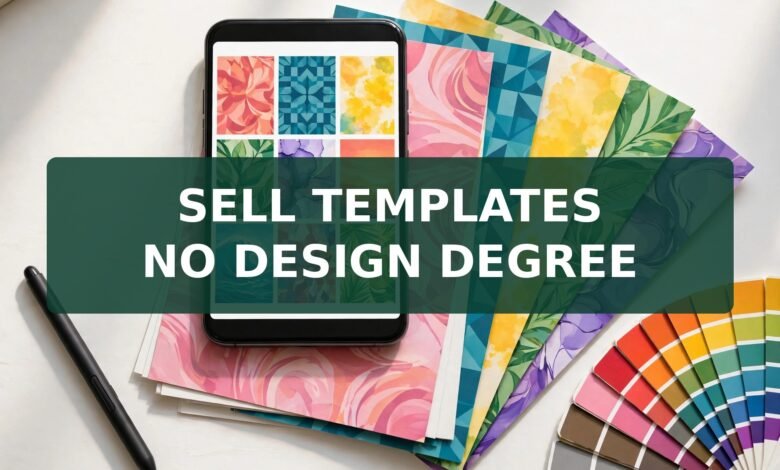
I still remember the first template I ever made in Canva. It was a simple Instagram quote card, nothing fancy, and I almost didn’t publish it because it felt too plain to sell. That hesitation is exactly where most beginners get stuck. They think they need a design degree, a portfolio, or some rare talent before they can sell Canva templates online. You don’t. What you need is a small shop, a clear niche, and a launch plan that doesn’t waste your first two weeks on designs nobody searched for.
This guide gives you that plan: a 7-day, 5-listing starter shop built for a US or UK beginner. No ads, no design degree, and no guessing about what buyers actually want. If you’ve been browsing online earning ideas on JobyRoz and wondering which creative side hustle fits, this one is worth a serious look — the product costs you time once, and then it can sell again and again.
Quick answer: Yes, you can sell Canva templates online in 2026 — on Etsy, Creative Market, and your own store. The winning formula is simple: build original designs from scratch, validate the niche on Etsy search and Pinterest before you design, share Pro-element designs only as Canva template links, and launch with 5 listings in one tight niche. Expect your first sale in weeks, not overnight, and treat every listing as a small experiment that teaches you what buyers want.
Can You Sell Canva Templates on Etsy?
Yes — and Etsy is where most beginners start, because buyers already go there looking for editable templates. The catch is that Canva’s rules draw a firm line: your design must be original. You can’t take one of Canva’s own ready-made templates, change the colors, and list it as your product. That’s reselling someone else’s work, and it’s the fastest way to get a listing pulled.
Building from scratch sounds harder than it is. Start with a blank canvas, pick your own layout, fonts, and color palette, and design for one specific buyer — say, a wedding photographer who needs Instagram story templates, or a fitness coach who needs a client welcome packet. When the layout is yours, the template is yours to sell.
Do You Need Canva Pro to Sell Templates?
Here’s the honest answer: no, you don’t need Pro to start, but Pro changes what you can include. If your template uses only free elements and your own uploads, any buyer — even one on a free Canva account — can open and edit it. That’s a big selling point, and it’s why many top beginner shops build free-element-only designs at first.
The trap is the opposite direction. If you drop even one Pro element into a design, that design can only be sold as a Canva template link — never as a flat PDF or image file. Worse, a buyer on a free plan may hit a paywall when they try to use that Pro element. So either build Pro-free and say so proudly in your listing, or use Pro elements deliberately and state clearly that buyers need Canva Pro.
How to Validate Your Niche Before Designing Anything
Most guides tell you to design first and hope. Flip that around. Spend day one validating, and you’ll save yourself a week of work on templates nobody wants.
Open Etsy search and type your niche idea, then watch the autocomplete. If Etsy suggests “wedding invitation template editable” and “real estate social media templates,” those are real buyer phrases. A niche with busy top listings and weak, dated mockups is a gift — demand exists and the presentation bar is beatable.
Then open Pinterest and search the same phrase. Pinterest is where template buyers plan purchases weeks ahead — brides pinning invitation styles, coaches saving content ideas. If a phrase has fresh, active pins and boards, it has a living audience. If your idea shows almost nothing on either platform, park it and test the next one.
The 7-Day Starter-Shop Plan (5 Listings, One Niche)
Day 1 — Validate. Pick three niche ideas and run the Etsy-plus-Pinterest check above. Choose the one with clear demand and the weakest-looking top mockups. Write down the exact phrases buyers use.
Day 2 — Design listing one. Build a single template set (say, 10 Instagram post templates for your niche) from a blank canvas. Keep one color palette and two fonts across the whole set — consistency is what makes a set look professional.
Day 3 — Design listings two and three. Reuse your palette and fonts to build two more sets in the same niche. A shop with three related listings looks like a real brand; three random listings look like a garage sale.
Day 4 — Mockups and the delivery PDF. Show the templates in use: on a phone screen, printed on a desk, inside a planner. Then create your delivery file — a short PDF with the Canva template link and plain-English editing instructions. Test the link yourself in a private browser window before you list it.
Day 5 — Listings four and five. Finish the set. Five listings in one niche give Etsy enough to understand what your shop is about, and give a visiting buyer a reason to browse rather than bounce.
Day 6 — Write listings like a buyer searches. Put the buyer’s phrase in the title, repeat it naturally in the first lines of the description, and spell out exactly what’s included, how many pages, and whether Canva Pro is needed. Clear listings outsell clever ones.
Day 7 — Launch and pin. Publish all five, then create one Pinterest pin per listing. That’s your traffic engine for week two, and it costs nothing.
The 3 Licensing Traps Most Guides Bury
1. The wrong link disaster. Canva gives you two kinds of links: an edit link and a template link. Send a buyer an edit link and they can change your original — or worse, share it onward. Always use the template link, which gives each buyer their own copy and leaves your master file untouched. Test it before every launch.
2. The Pro-element lock. As covered above, one Pro element means the design must stay inside Canva as a template link. Selling it as a downloadable PDF breaks Canva’s terms. If you want PDF delivery, build Pro-free.
3. Reselling Canva’s stock as-is. You can’t sell Canva’s photos, illustrations, or templates on a standalone basis. Your product must be your own arrangement — your layout, your structure, your choices. A single Canva graphic with a border added is not a product. A full invitation suite you designed from scratch is.
How Much Can You Earn Selling Canva Templates?
Let’s be straight: nobody can promise you a number, and any guide that does is selling you something. What I can give you is honest math, so you can judge the opportunity yourself. Take a template priced at $10 (about £7.50) on Etsy. Etsy charges a $0.20 listing fee, a 6.5% transaction fee ($0.65), and payment processing of 3% plus $0.25 ($0.55). Add it up and the fees come to roughly $1.40, leaving you around $8.60 per sale before any taxes.
That margin is the real appeal. There are no printing or shipping costs, and the same file can sell dozens of times. But volume takes time: a shop with 5 listings rarely outsells a shop with 50, and a shop with no traffic rarely sells at all. Think of your first month as paying for education in listing quality and buyer language. Sellers who keep adding listings and improving mockups tend to see steady, gradual growth — not a windfall, but a real side income that compounds.
Where to Sell Canva Templates Besides Etsy
Etsy is the starting line, not the whole race. Creative Market suits polished brand kits and presentation decks, and buyers there expect higher prices. Gumroad and Payhip let you sell from your own page with lower fees, but you bring your own traffic — there’s no built-in marketplace audience. Your own simple website works best once you already have an audience from Pinterest or a blog. My advice for beginners: start on Etsy to learn what sells, then add one direct channel once you know your bestsellers.
Your No-Ads First-Sale Traffic Plan
Paid ads are a money pit for a 5-listing shop, so skip them. Instead, pin every listing on Pinterest with a vertical image showing the template in use, and link the pin straight to the listing. Then write one short tutorial post — for example, “How to customize a wedding invitation template in Canva” — and link it to your shop. One genuinely helpful post beats ten “buy my templates” posts, because it reaches people at the exact moment they’re learning the skill your product serves.
Then watch your Etsy stats for a week. Whichever listing gets the most views is your winner: make two more variations of it before you branch into a new niche.
Frequently Asked Questions
Can you sell Canva templates on Etsy?
Yes, as long as the designs are your own original work. Build from a blank canvas, don’t resell Canva’s ready-made templates, and deliver Pro-element designs only as Canva template links.
Do you need Canva Pro to sell templates?
No. Free-element designs work for every buyer, including free-plan users. Canva Pro gives you more elements and the template-link feature, but it’s not a requirement to start selling.
How much can you earn selling Canva templates?
It varies widely with niche, listing count, and traffic. On a $10 Etsy sale you keep roughly $8.60 after Etsy’s fees. Treat early months as a learning phase and expect gradual growth as you add listings, not instant income.
Best Canva templates to sell for beginners?
Start with one tight niche you understand: social media packs, wedding invitations, resumes, planners, or media kits. Sets of 10 or more matching templates in one niche outsell scattered single designs.
How do buyers get the template after purchase?
On Etsy, buyers download a PDF you attach to the listing. That PDF holds your Canva template link and simple editing instructions. The buyer clicks the link, gets their own editable copy, and your original stays untouched.
Final Thoughts
Selling Canva templates online is one of the few side hustles where the barrier is skill you can build in a weekend, not money you have to spend. Validate first, launch small with five listings in one niche, respect the licensing rules, and let buyer behavior tell you what to make next. Pick your niche today, and give yourself seven days to open the doors.
Get Your Own Website FREE — The Smart Next Step for Template Sellers
If you’re building a template shop, here’s something worth thinking about: every successful seller eventually needs a home base of their own. A website is necessary today for every business — it’s where buyers find your full collection, read your tutorials, and trust you enough to come back. And setting one up is far simpler than most beginners fear. Just buy hosting through our link below and tell the built-in AI about your business — whether that’s your Canva template shop, your design services, or your next idea — and the AI will make the website for you. No coding, no designer, no tech headaches.
 🌐
🌐Free Website
🌐 FREE Website — Turn Your Ideas Into Income
Want a handsome monthly income? Publish helpful articles consistently and let Google traffic grow into real earnings — steady work, never overnight magic. We never guarantee earnings.
Disclosure: This article contains an affiliate link. If you purchase hosting through it, we may earn a commission at no extra cost to you.
And if you want to earn a handsome amount monthly, here’s the longer game that actually works: make a website and start writing helpful articles on it. Google traffic can turn into monthly income over time — the same way tutorial posts can send buyers to your template shop. It takes consistent articles, not overnight magic, and nobody honest will promise you instant earnings. But a template shop plus a helpful blog is a combination that keeps paying you back for work you did once.
Buy hosting through our link, send your receipt via the JobyRoz contact page, and we will guide your basic business website setup for FREE — we’ll help you get your shop’s home base online without the guesswork.
Disclosure: This article contains an affiliate link. If you purchase hosting through it, we may earn a commission at no extra cost to you.
The Client Who Approves Every Mockup Instantly
 🐶
🐶Free Pet Guides
🐶 Love Dogs Too?
Price your template bundles like a pro with the free money tools at Earnrove — and when those long design sessions stretch on, keep a glass of clean water on your desk with tips from Clearove.
🧮Money Tools
🧮 Earnrove — Free Money Calculators